Your rig, on a drive, on any machine, and back again. OneRig to rule them all.
OneRig packs an app's working setup, its settings, shortcuts, templates and presets, plus the installers you choose, into a Kit. Walk into any studio, deploy your kit, work like you're home, and leave the machine exactly as you found it.
Free to download. Deploying a Kit, Restore and Batch Install never need a license.
macOS 11 Big Sur or later, Intel or Apple Silicon.
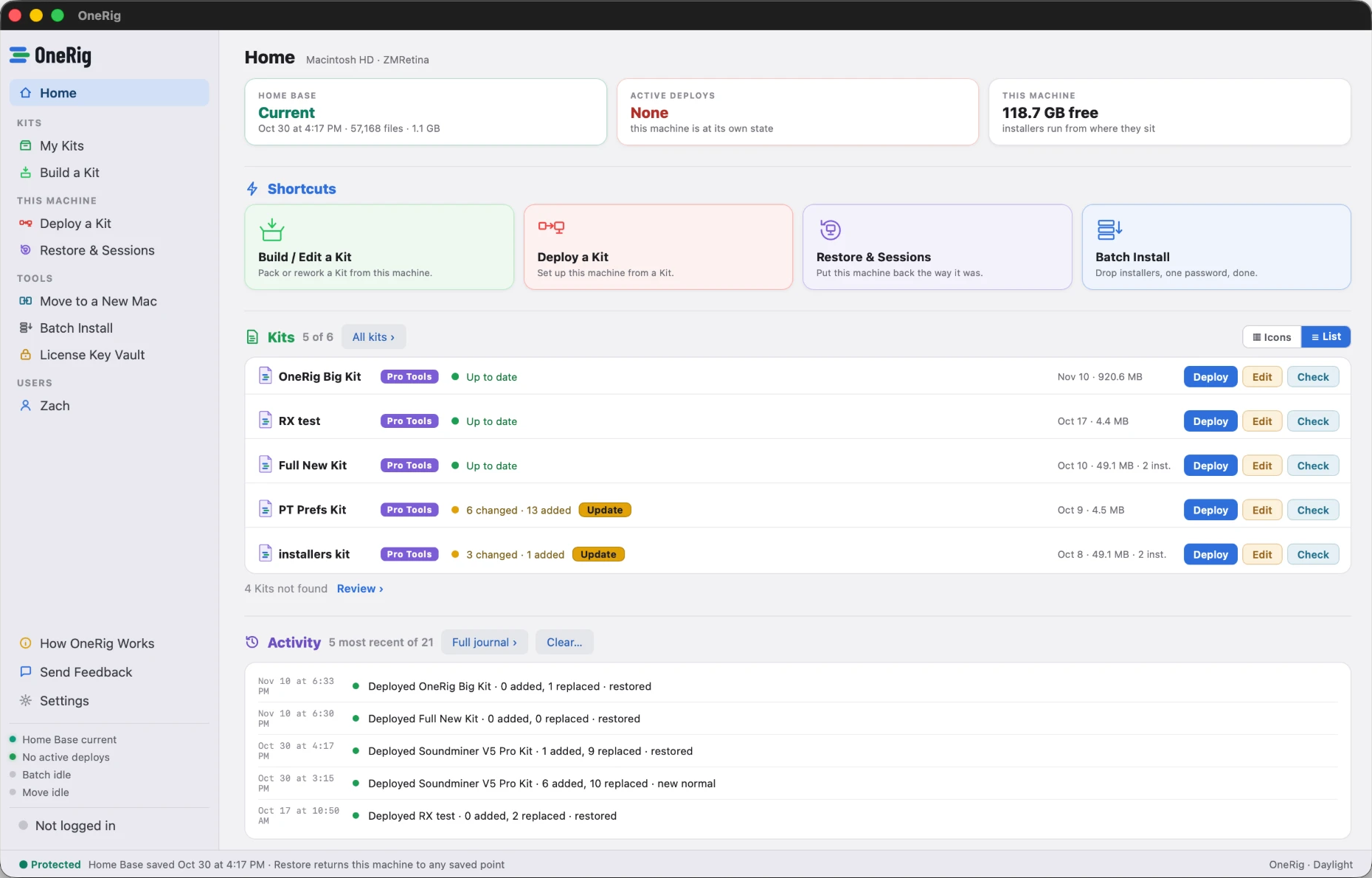
Two jobs, one app
Both of them are the same problem: your rig lives in hundreds of places, and moving it by hand takes days.
Working on someone else's Mac
Your settings, shortcuts, templates and presets on a drive, deployed when you arrive and taken back off when you leave. That's a Kit.
Moving to a new Mac
Everything you own carried across and installed in the right order, instead of two days of reinstalling one vendor at a time.
Pack it. Deploy it. Put it back.
Three moves, one drive, zero trace.
Your setup, chosen piece by piece
Plug-in settings, key commands, I/O setups, FX chains, your iZotope and Soundtoys libraries, session templates picked one by one with sizes shown, and the vendor installers you drop in. What travels is exactly what you choose.
Any Mac becomes your Mac
Your Kit travels with OneRig.app right beside it on the drive, so even a machine that has never seen OneRig can deploy it: open the app, and OneRig lands your settings in the right folders, batch-runs your installers under one password, and snapshots everything it touches first.
The machine goes back to normal
One click restores the studio's own setup exactly as it was. Or, if the machine's yours, make the deploy its new normal without losing the way back.
Built for the apps you actually work in
Every kit targets one app, so its settings stay organized and travel cleanly.
- Pro Tools
- Logic Pro
- Cubase
- REAPER
- Ableton Live
- Audition
- Photoshop
- Lightroom Classic
- Premiere Pro
- After Effects
- DaVinci Resolve
- more coming
Pro Tools kits carry EUCON surfaces too, and every audio kit can bring your iZotope and Soundtoys libraries along. OneRig learns where an app keeps its settings from real machines before it ships a kit builder for it, so a kit never guesses.
The batch installer alone is worth the trip
Always free Batch Install will always be free to use. No license, and no Kit needed.
One password, the whole pile
Drop a folder of .pkg, .dmg and .zip installers. Standard packages run in sequence under a single admin password, with real per-item progress; drag-install apps get copied to Applications without clobbering anything newer.
Install only what you own
Where an installer offers format choices, AAX, AU, VST chips toggle exactly what lands; suite installers open into a per-plugin checklist. The receipt afterward shows what actually arrived, version by version.
Honest about the rest
Vendor installer apps that need their own wizard are never automated; they line up in a run-these-yourself checklist, each one a click away.
Move to a new Mac
A new Mac costs you two days of reinstalling. This makes it an afternoon.
See all of it before anything moves
OneRig reads the old Mac and shows you the whole picture: every plugin by format and vendor, the vendor support files those plugins need to load, your preference files, your settings. Nothing is copied until you say so.
Bring exactly what you choose
Opt out by format, by vendor, or one plugin at a time. Tell it which DAWs you use and the right things start checked. Search matches both vendors and plugins, so finding one in a list of a thousand takes a second.
It installs in order, and it undoes
Nine numbered steps in the order they have to run, under one admin password, with live progress naming the file in flight. Anything already on the new Mac in a different version is named, with both versions, dates and sizes side by side, and you pick per group. Every install leaves a restore point, so you can take back one step or the whole thing.
The manager apps and licensing runtimes you need, Waves Central, Native Access, iLok License Manager and thirty more, download from the vendors' own links into the move, so they're on the drive when you get there. The receipt at the end lists what landed, what was left alone, and what still needs you.
Ground rules, built in
Your licenses stay yours
OneRig doesn't read, copy or send your license keys or license files, with two exceptions you control: keys you add to your License Key Vault, and plugin sign-ins you choose to bring to a new Mac. Both travel only inside an encrypted file you create. Activation and iLok are never touched.
Every deploy is reversible
Before anything changes, OneRig snapshots what it's about to touch. Restore returns the machine to any saved point.
Your keys, kept your way
The License Key Vault holds keys you type in or pick yourself, in your Mac's Keychain. Nothing is scanned off your system, and a key leaves the Mac only inside an encrypted file you create and unlock.